
If you’ve been running Facebook pages for a while, you probably know the “Most Active Times” chart inside Meta Business Suite.
It used to be one of the most useful tools for publishers like us, helping us figure out exactly when our audience is online so we can post at the right time.
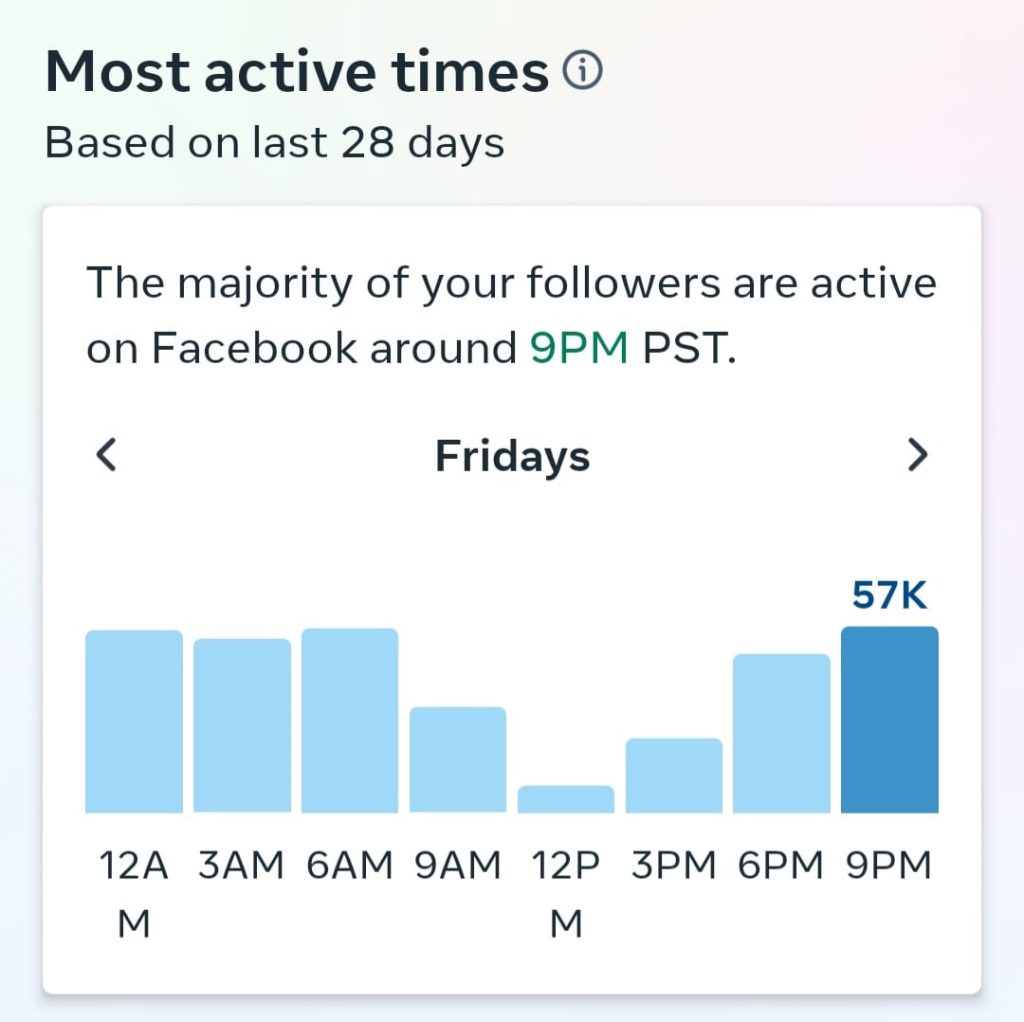
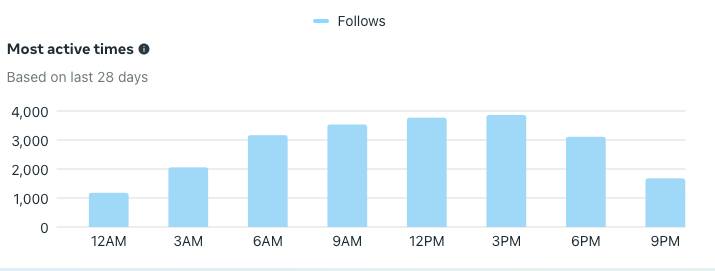
Both mobile and desktop had it. Simple. Reliable. Worked.
But recently… Facebook quietly removed it.
No announcement. No explanation.
And honestly, it makes scheduling a lot harder if you rely on data instead of guessing.
What you can do instead (for now)
1. Meta Business Suite
There is still a workaround, not perfect, but usable:
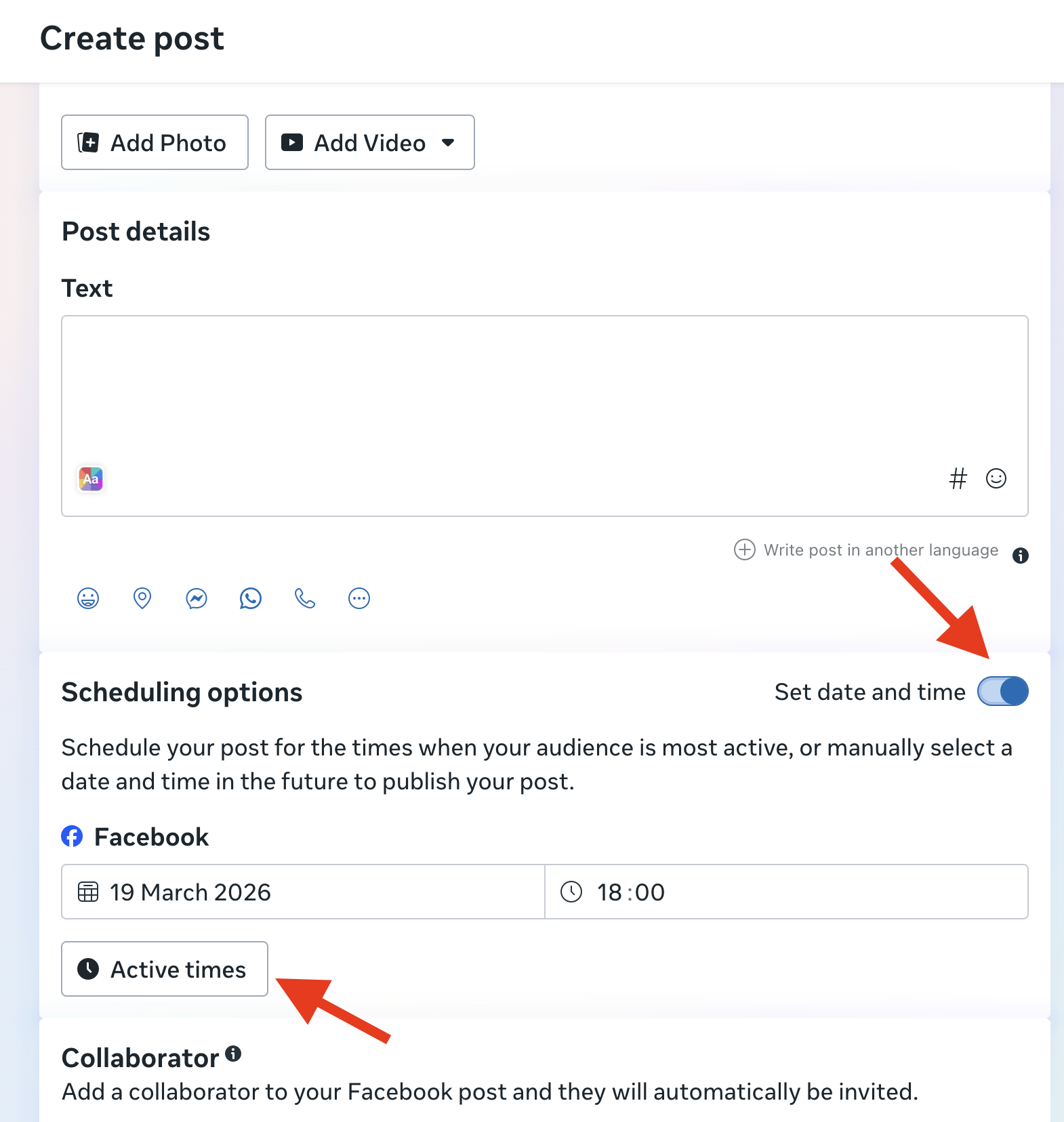
- Go to your Facebook
- Open Meta Business Suite
- Click Create Post
- Turn on “Set date and time”
- Then click “Active times”
Facebook will show you some recommended time slots
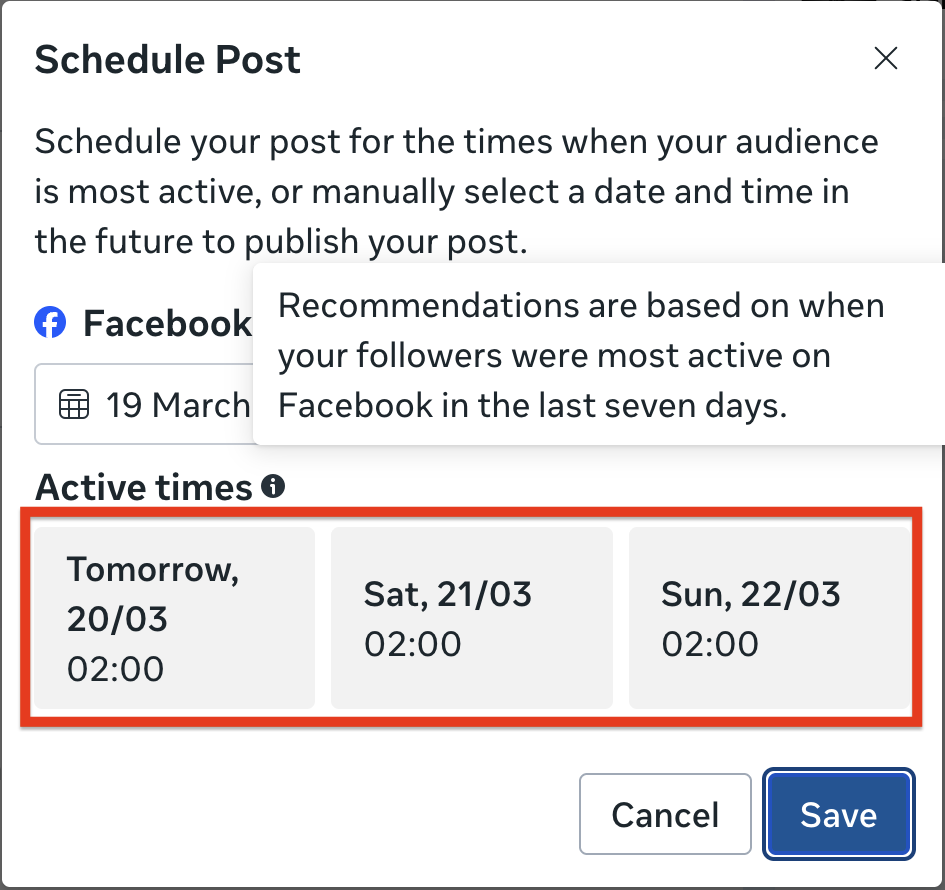
It’s not the same.
You don’t get the full chart anymore, no detailed breakdown, just limited suggestions.
But for now, it’s the closest thing we have to understanding when followers are active.
I’m curious, are you seeing these “Active times” suggestions on your end?
2. Google Analytics 4 (if you drive traffic to websites)
If you’re already driving meaningful Facebook traffic to your website, you can actually use GA4 to figure out your audience’s active times.
First, make sure your Facebook page is sending traffic to a website connected with GA4.
Then:
- Go to your GA4 homepage
- Use “Ask Analytics Advisor”
- Try a prompt like: “Which hours of the day are my users most active?”
I tested this on my end and got some surprisingly useful insights below.
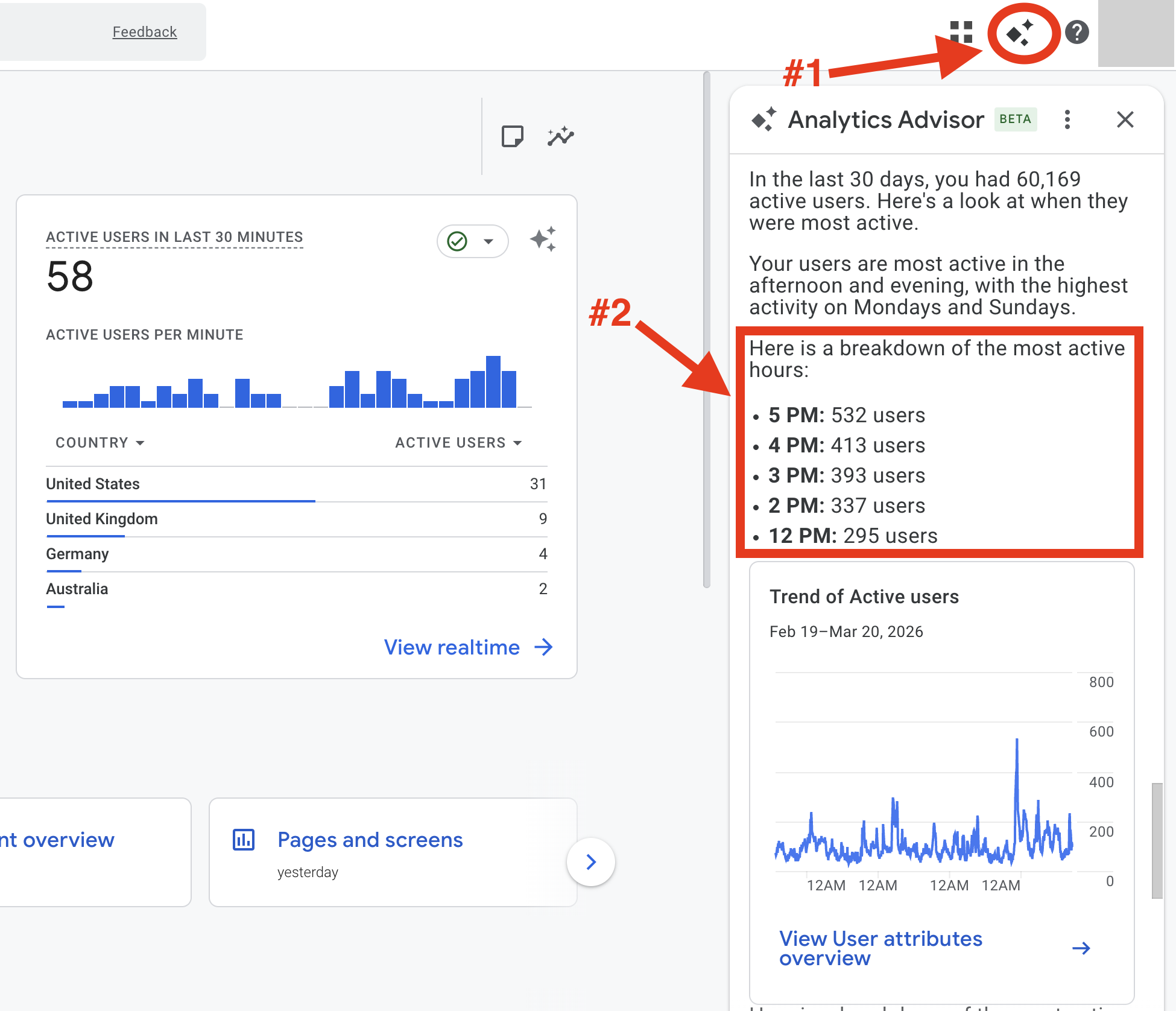
From my data, the audience is most active (America/New_York time):
- Around 12 PM
- And from 2 PM to 5 PM
This gives me a much clearer picture compared to guessing or relying only on Facebook.
Let me know if you’re able to get similar results using either of these methods.
How I schedule and analyze our Facebook posts
I used to pay for two tools: one to schedule posts and another to see what actually worked. It was expensive, messy, and neither was really built for Facebook pages. So I built my tool that does both, properly, in one place: Insight Hive.