
If you’ve been running Facebook pages for years, you probably already know this: getting in touch with Facebook support is NOT easy, especially when you need a real human.
Recently, I ran into an issue with my Content Monetization (CM) payout info. I couldn’t edit or update the company name myself, so I had no choice but to go through support. That’s when I realized there’s actually a separate “payout team,” and they seem to operate on a completely different level than regular support. The usual CS reps can’t really touch payout issues.
Below are the ways I tried, two that actually worked, and one that completely failed (no replies for months).
Two ways that worked
1. Live Chat
The frustrating part about Facebook support isn’t that there’s no way to contact them, it’s that there are too many links that look legit but go nowhere. You submit something and then… nothing. Weeks, months. Silence. Makes you wonder if there’s even a human behind it anymore.
After trying all possible ways, I finally found one that actually worked, through Meta Business Suite.
Mobile version
Open the Meta Business Suite app on your phone (yes, it has to be the mobile app, weird, I know. I tried desktop and it’s not the same).
Then go to:
More → Help Center → Contact Support (you’ll need to scroll all the way down).
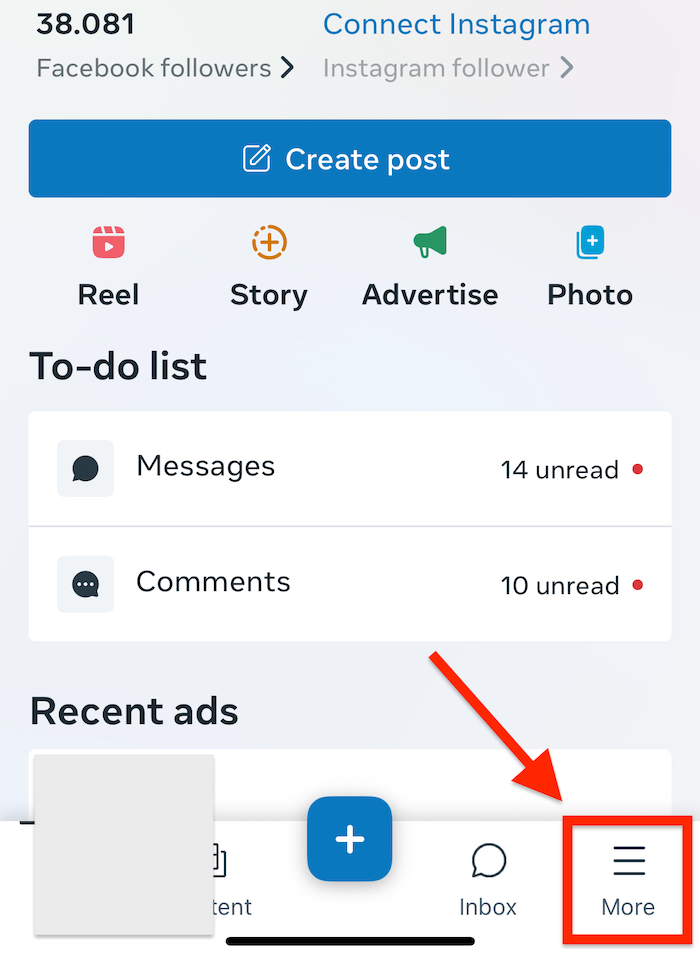
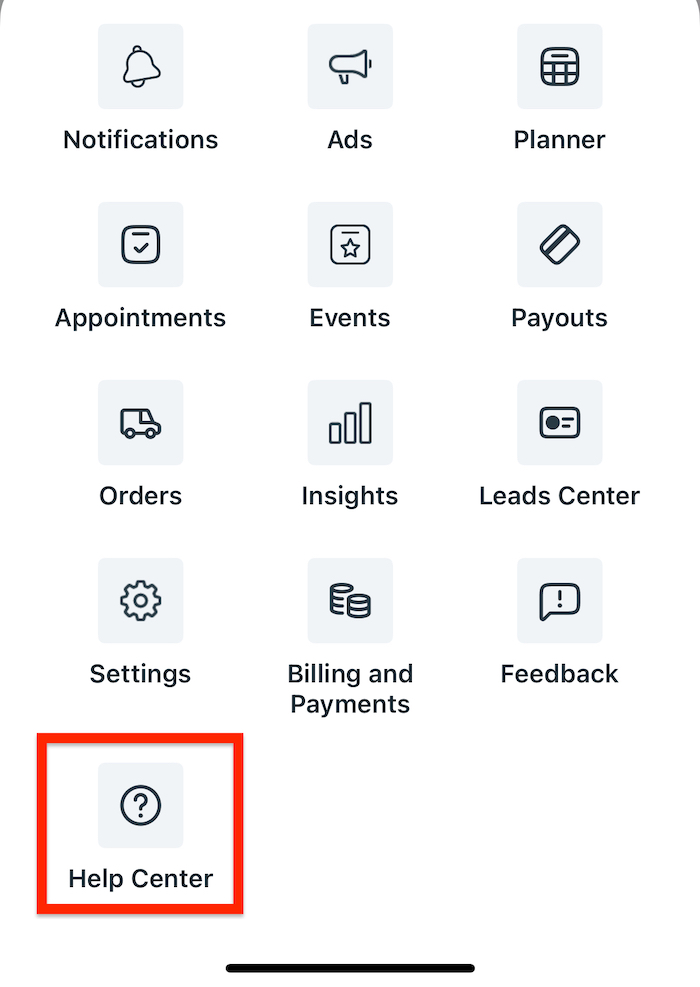
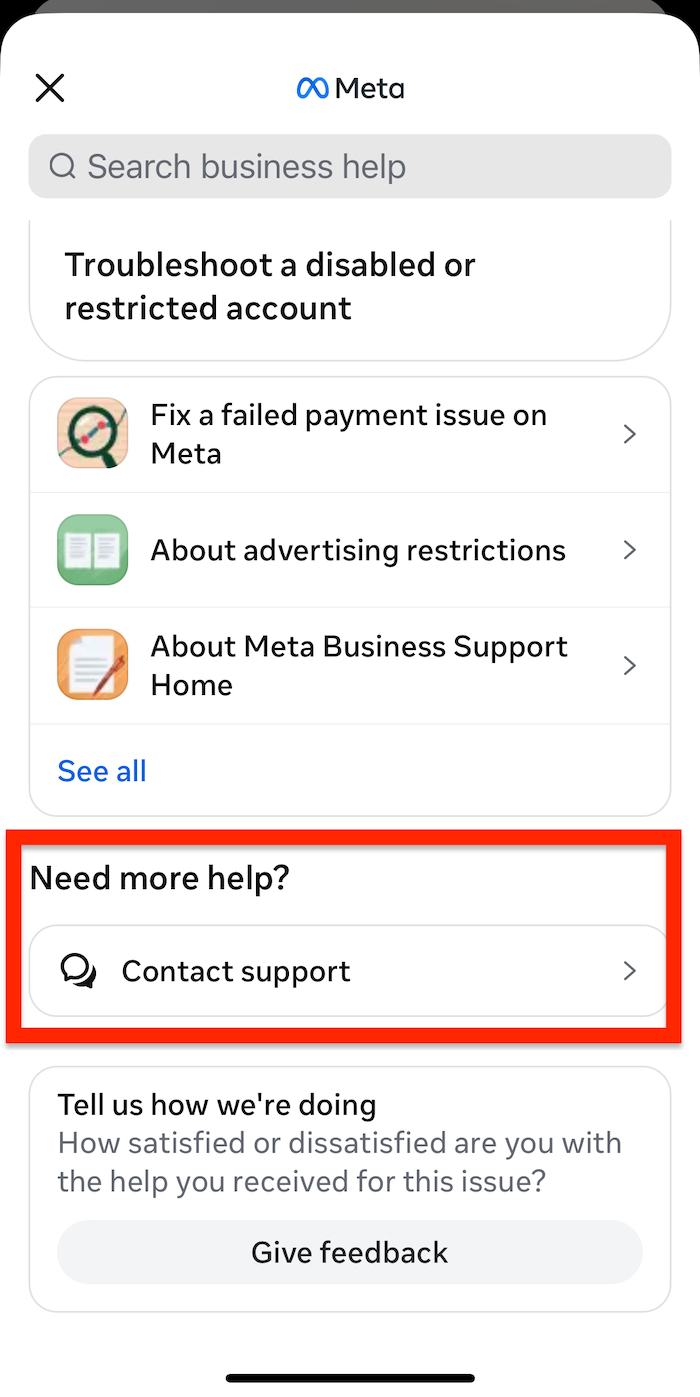
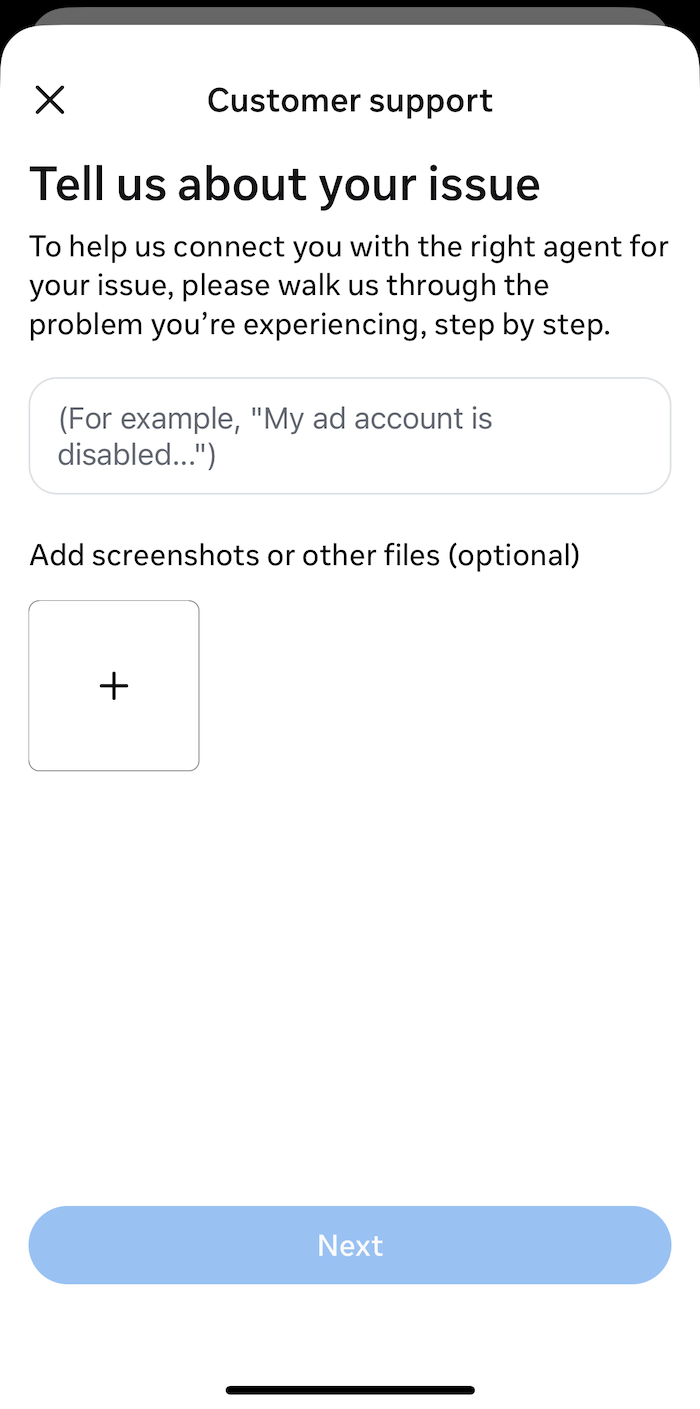
Once you land on the screen above, describe your issue as clearly and detailed as possible. Add screenshots if you can, it helps a lot.
Desktop version
If you prefer using your laptop, go here: https://www.facebook.com/business-support-home/
Back to my case, this is where I was finally able to start a live chat with Facebook Support (AI first, then a real human).
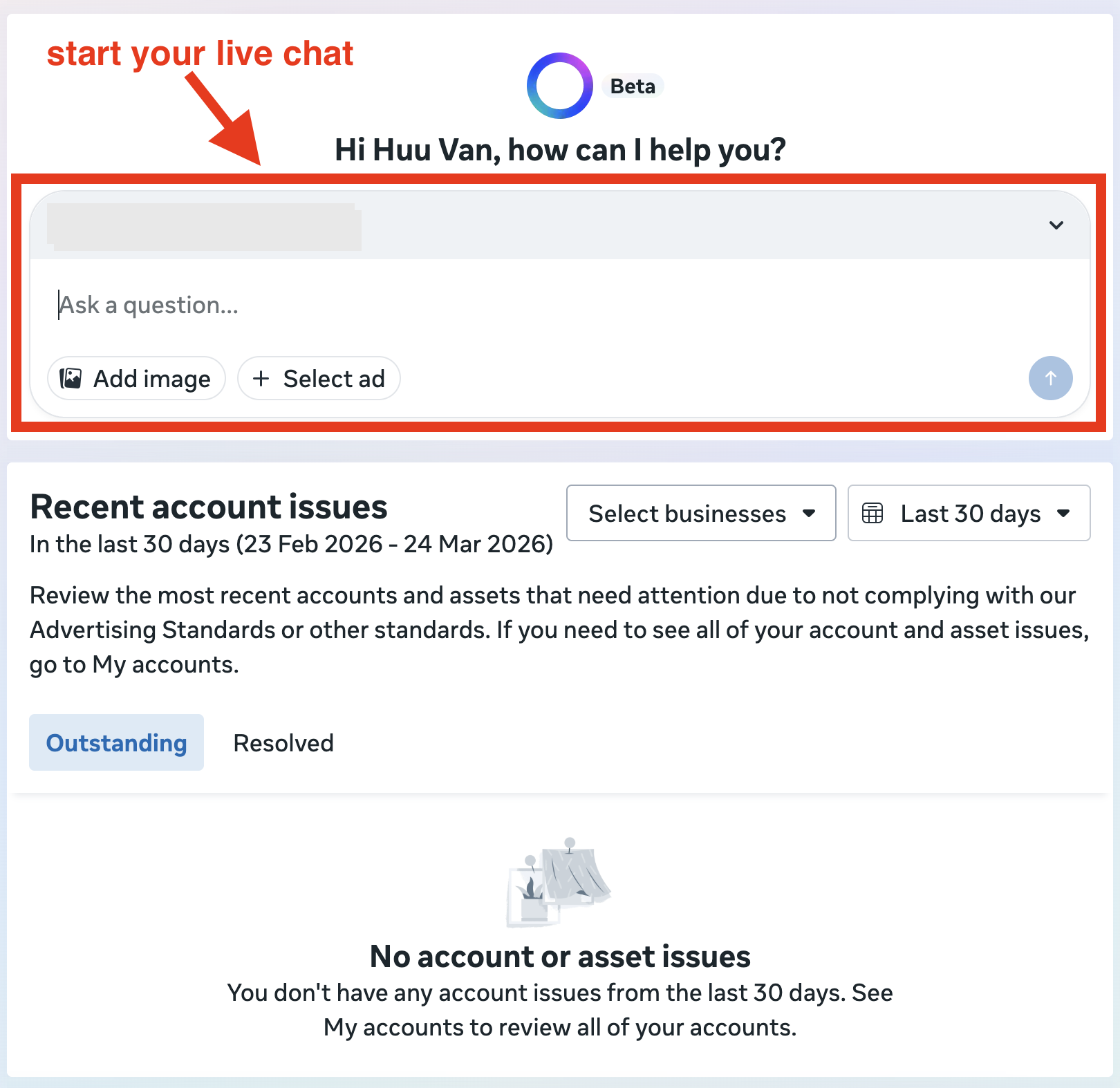
As soon as I explained my issue, the AI asked for more details and screenshots. After that, it redirected me to a real human agent.
The chat wasn’t quick, but it was smooth. A few different agents joined along the way. When they couldn’t solve the issue themselves, they actually escalated it instead of leaving me stuck.
After a few rounds, I got connected to someone who was nice, friendly, and actually helpful. He even called me to confirm the issue and explain things clearly.
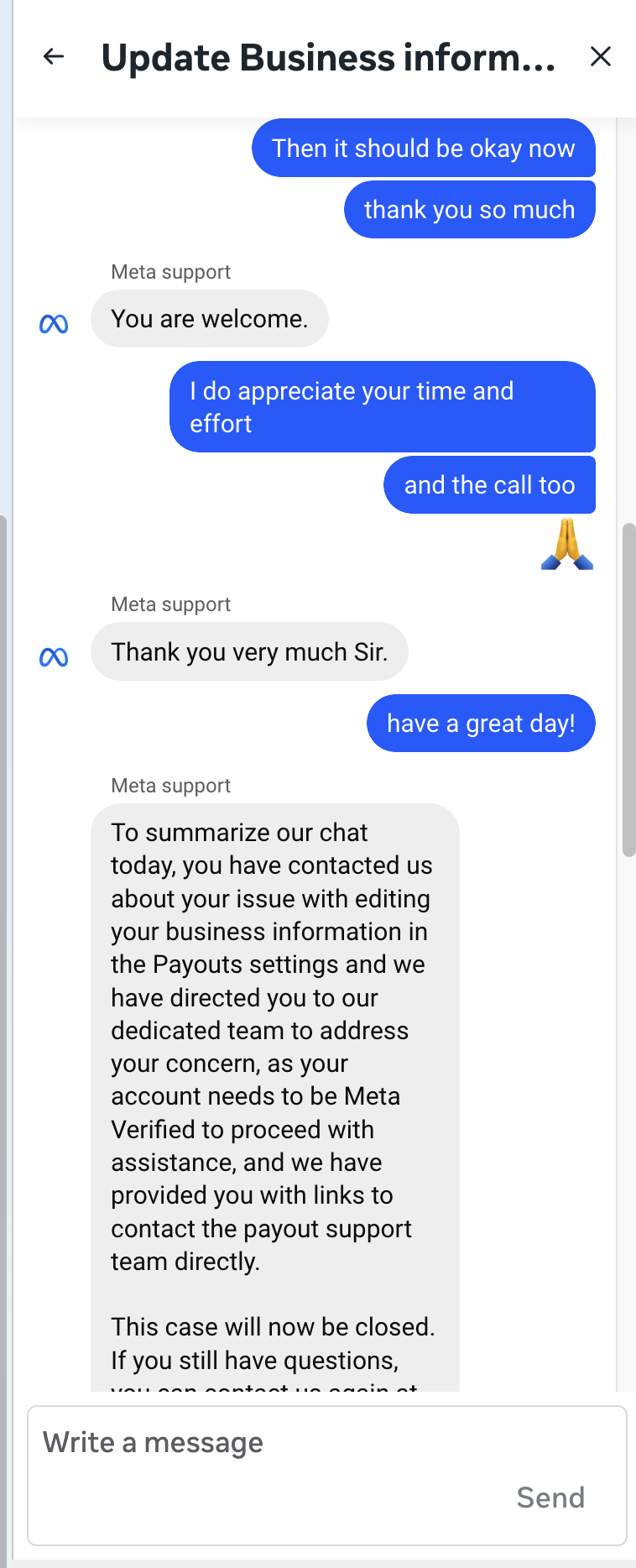
He couldn’t fix it directly, but he gave me a link to a form that goes straight to the payout team (which I’ll show below). That’s where things finally started to move.
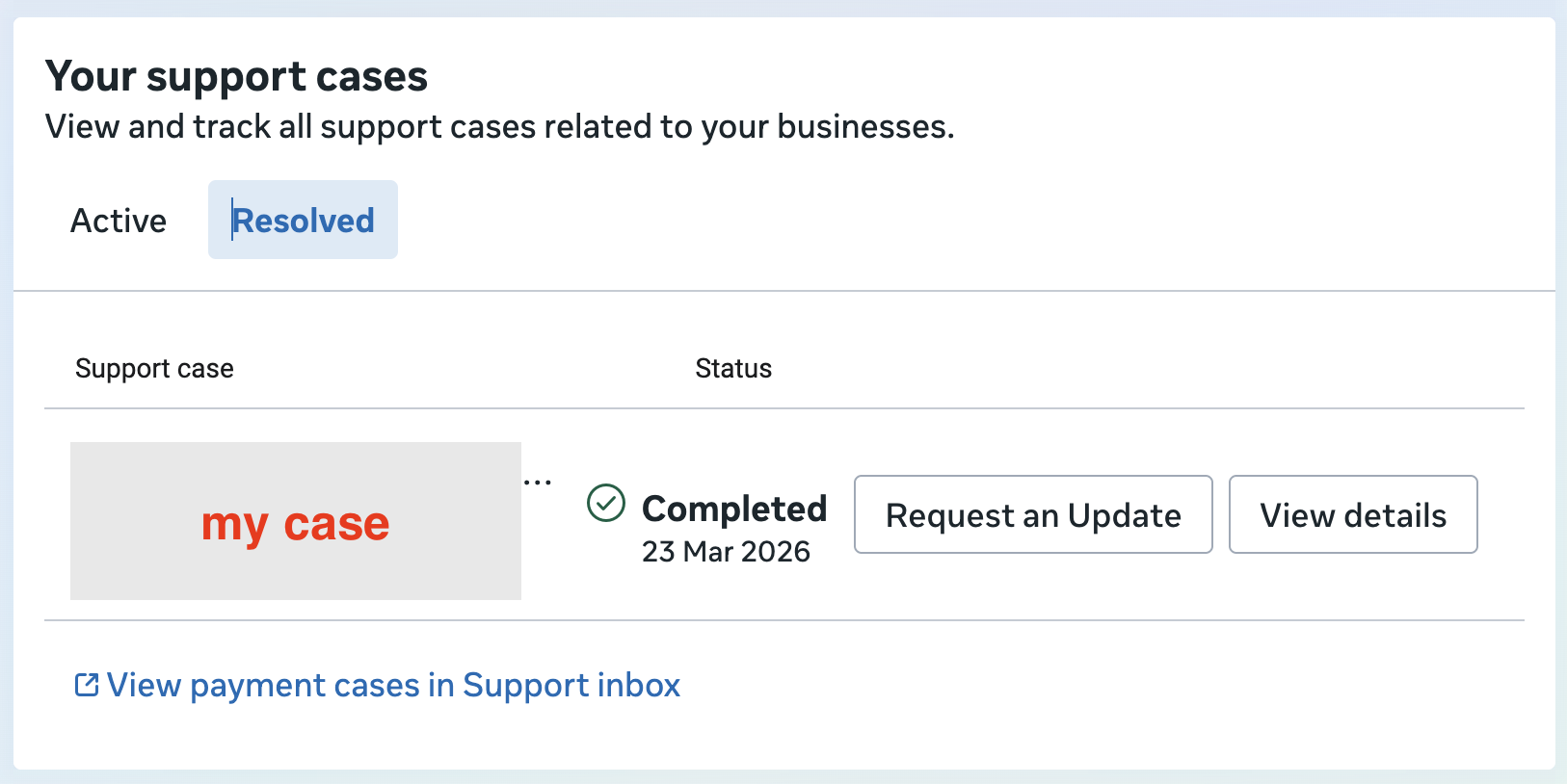
Below is what my case looks like now after being resolved.
Also, this is the live chat I mentioned above. I made sure to stay polite and provide as much detail as I could, especially since the CS team was genuinely nice and trying to help.
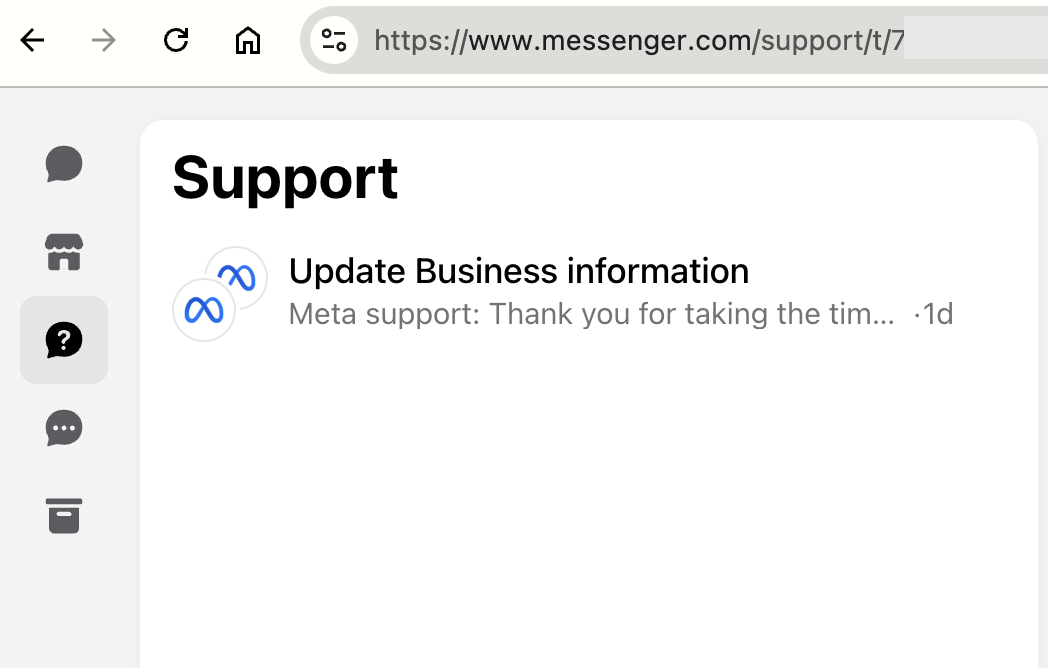
Also, the support chat later showed up in my Messenger, which made it easier to follow up.
2. The Form (this is what actually fixed it)
This is what actually fixed my issue.
These two links were provided by the CS team:
- https://www.facebook.com/help/contact/1540812909361378
- https://www.facebook.com/help/contact/666623931013405
When you open one of these links, you’ll get a contact form. These forms go directly to the Facebook payout team, the only team that can properly handle payout issues.
Quick note: the team was actually helpful, so please don’t abuse this. Use it only when you really need it.
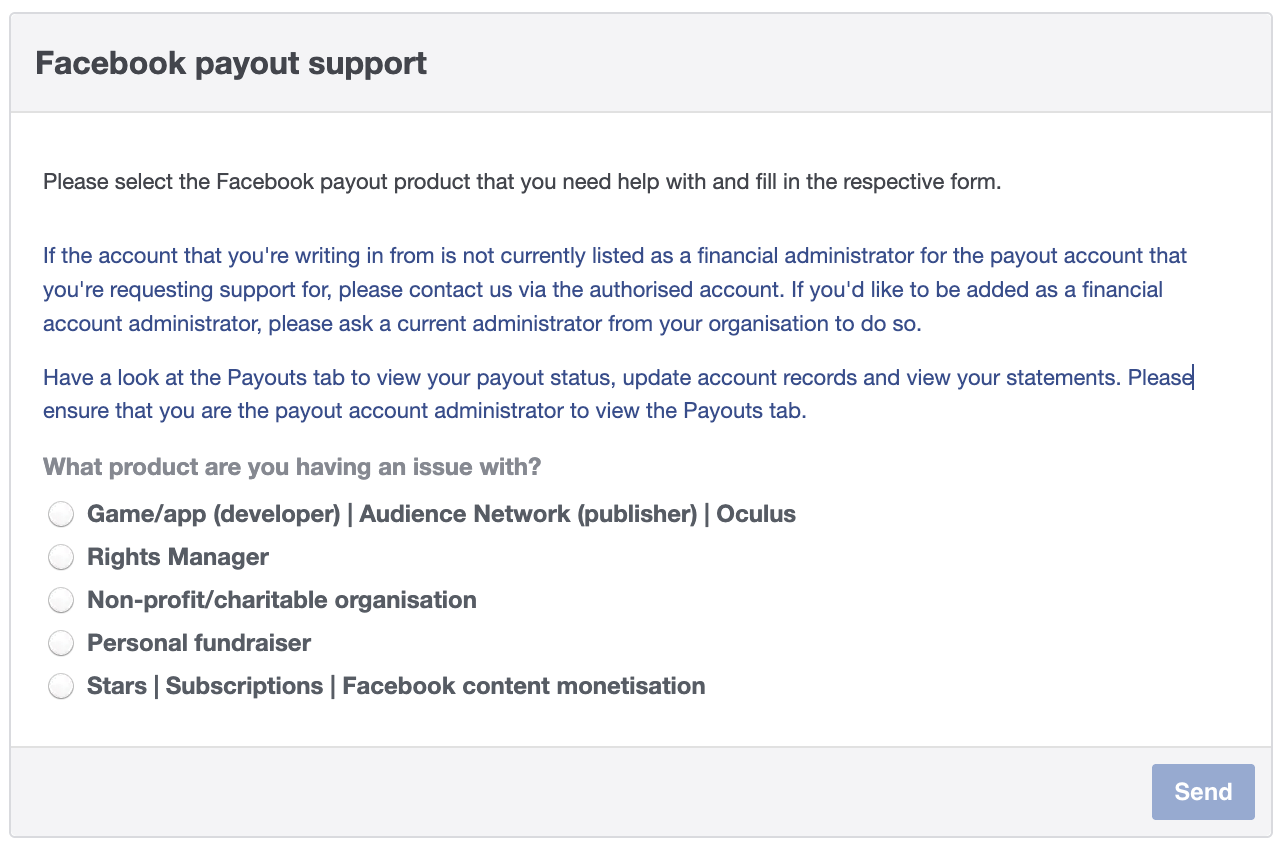
In my case, I selected the option related to ‘Facebook content monetization’, then filled everything out as detailed as I could.
The next morning, I got a reply. They sent me a unique, one-time link to set up a new payout for my CM account, which turned out to be a much better way to fix the issue. After that, I created a new payout with the correct info, and my issue was fixed.
The way that didn’t work
I also tried the support option inside the Payouts dashboard (“Payouts help”).
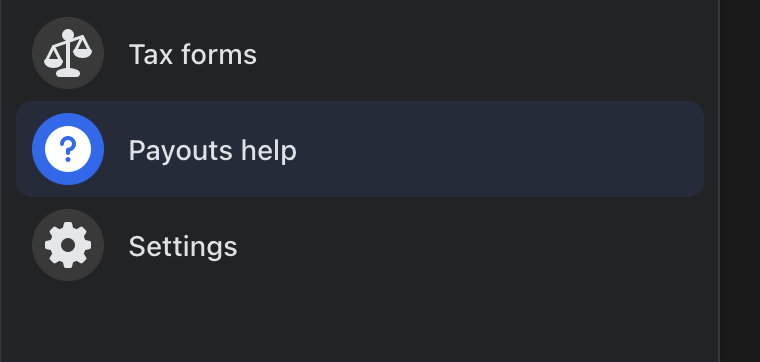
It looked legit. I submitted tickets. Twice.
- Nov 6, 2025
- Dec 22, 2025
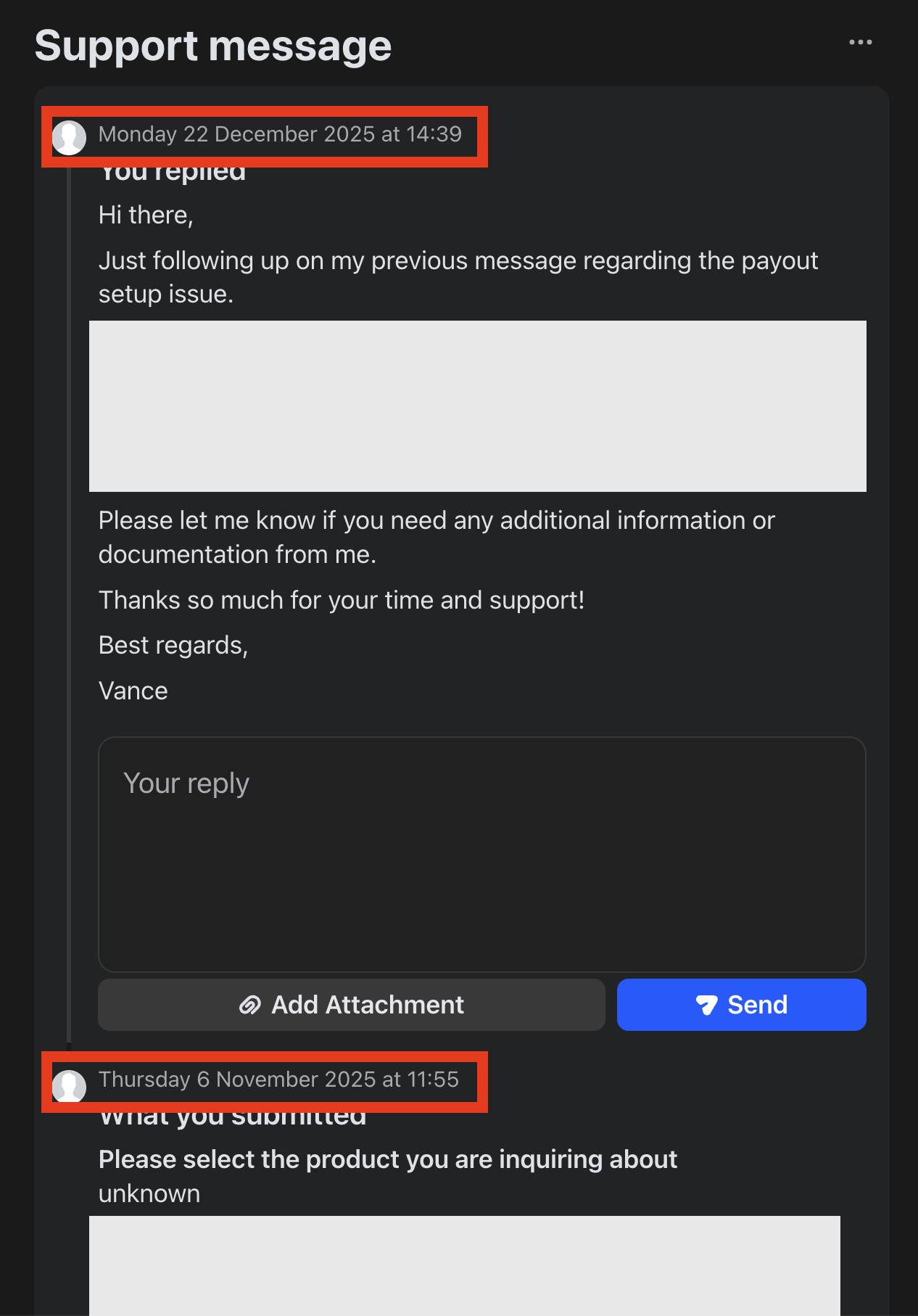
Never got a single reply. This is exactly the problem with Facebook support, there are too many entry points, and some of them are basically dead. You don’t know which ones actually work until you waste months trying.
How I schedule and analyze our Facebook posts
I used to pay for two tools: one to schedule posts and another to see what actually worked. It was expensive, messy, and neither was really built for Facebook pages. So I built my tool that does both, properly, in one place: Insight Hive.